Categories & Types
Group jobs by team with job categories and by contract with job types, for filters and grouped listings.
JobPress sorts jobs two ways. Job categories are usually your teams or departments: Engineering, Design, Sales. Job types describe the contract: Full Time, Part Time, Remote, Internship. A job can have several of each.
Both power the category and type filters on the Jobs Page, and categories group the jobs in Designs V2 and V4.
Job categories
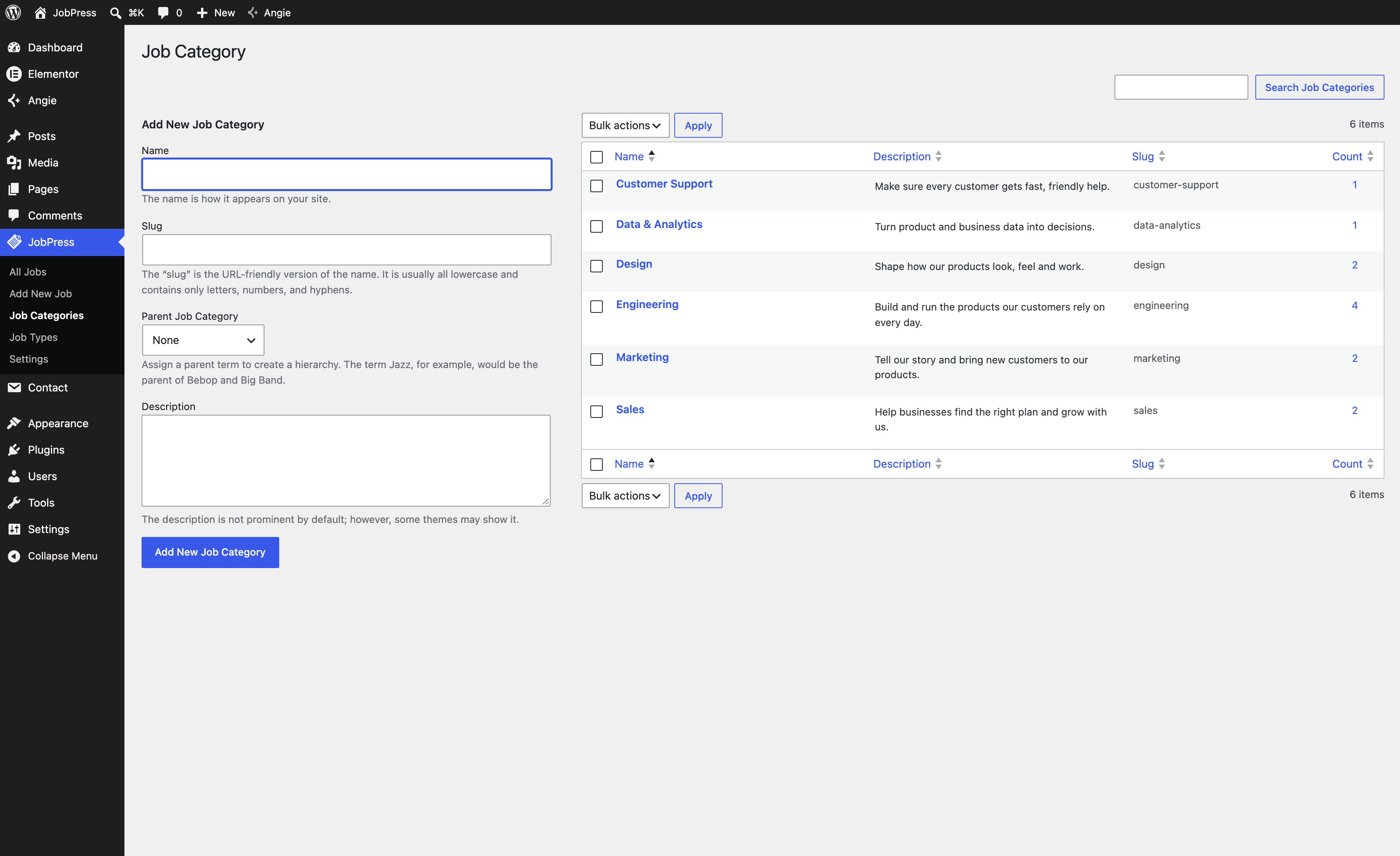
Go to JobPress → Job Categories. The left side adds a category, and the list on the right shows every category with its job Count.
- Name - shown on your site.
- Slug - the URL-friendly name. Use it in the
shortcode’s
categoryattribute. - Parent Job Category - nest a category under another.
- Description - shown under the category name in the grouped designs, so write one line that sells the team: “Build and run the products our customers rely on every day.”
Click Add New Job Category to save. Hover a category in the list to Edit, Quick Edit, Delete, or View it.
Job types
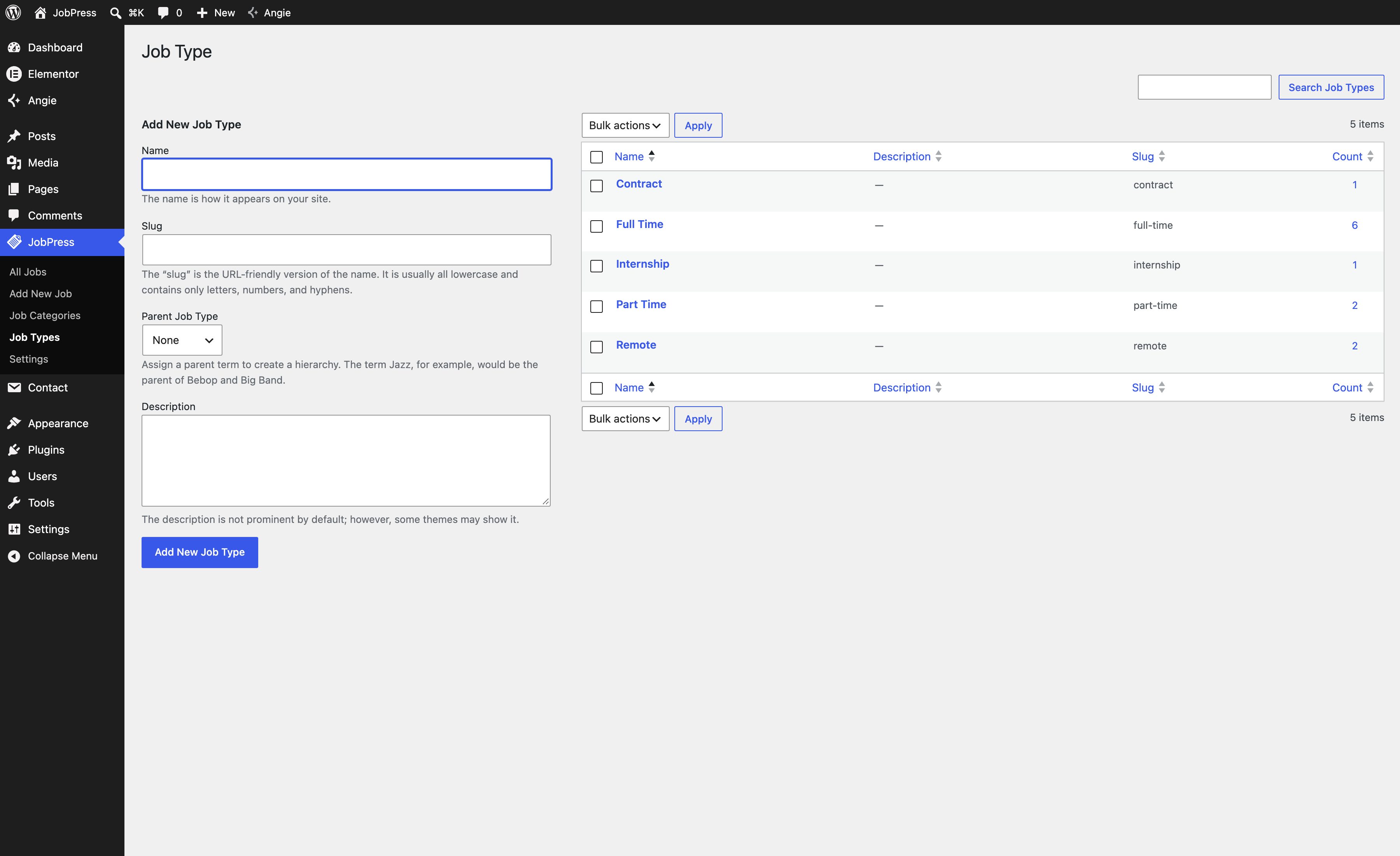
JobPress → Job Types works the same way, with Add New Job Type. Types appear on job cards (Job Type: Full Time) and in the job page’s summary.
Assigning them to a job
In the job editor sidebar, open Job Categories or Job Types and tick the ones that apply. You can also add a new one from there.
Category and type pages
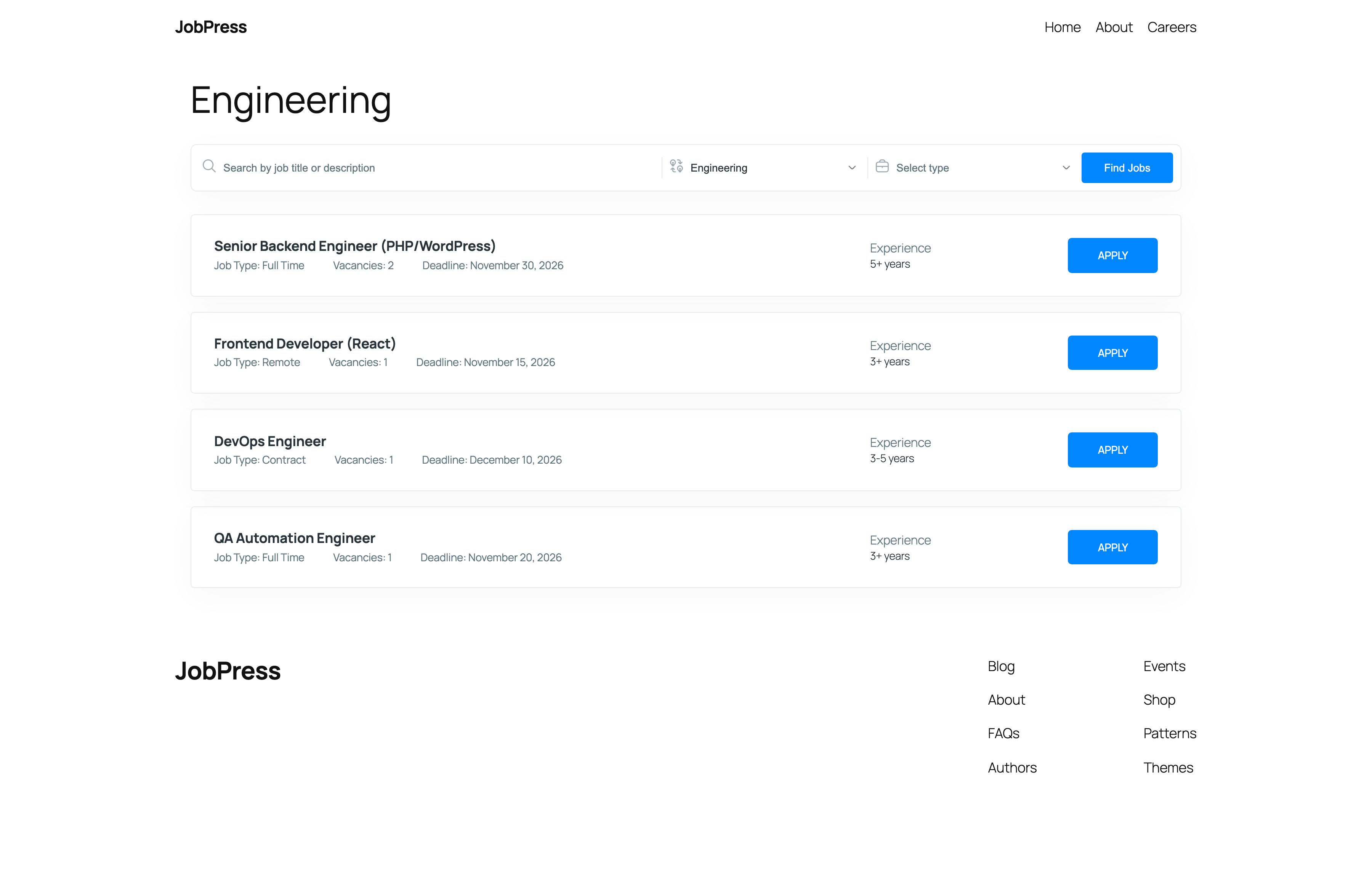
Every category and type gets its own page, such as
/jobpress_category/engineering/. It looks like the
Jobs Page with that category already selected in the filter.
Link to it from a team page to show only that team’s openings.
Jobs without a category
In the grouped designs, jobs with no category are listed under Other openings.