JobPress Jobs Block
Add a job listing in the block editor with a live preview, then choose its content and style from the block settings.
The JobPress Jobs block is the block-editor version of the
[jobpress] shortcode: the same listing and options, with a
live preview. It needs WordPress 6.3 or later.
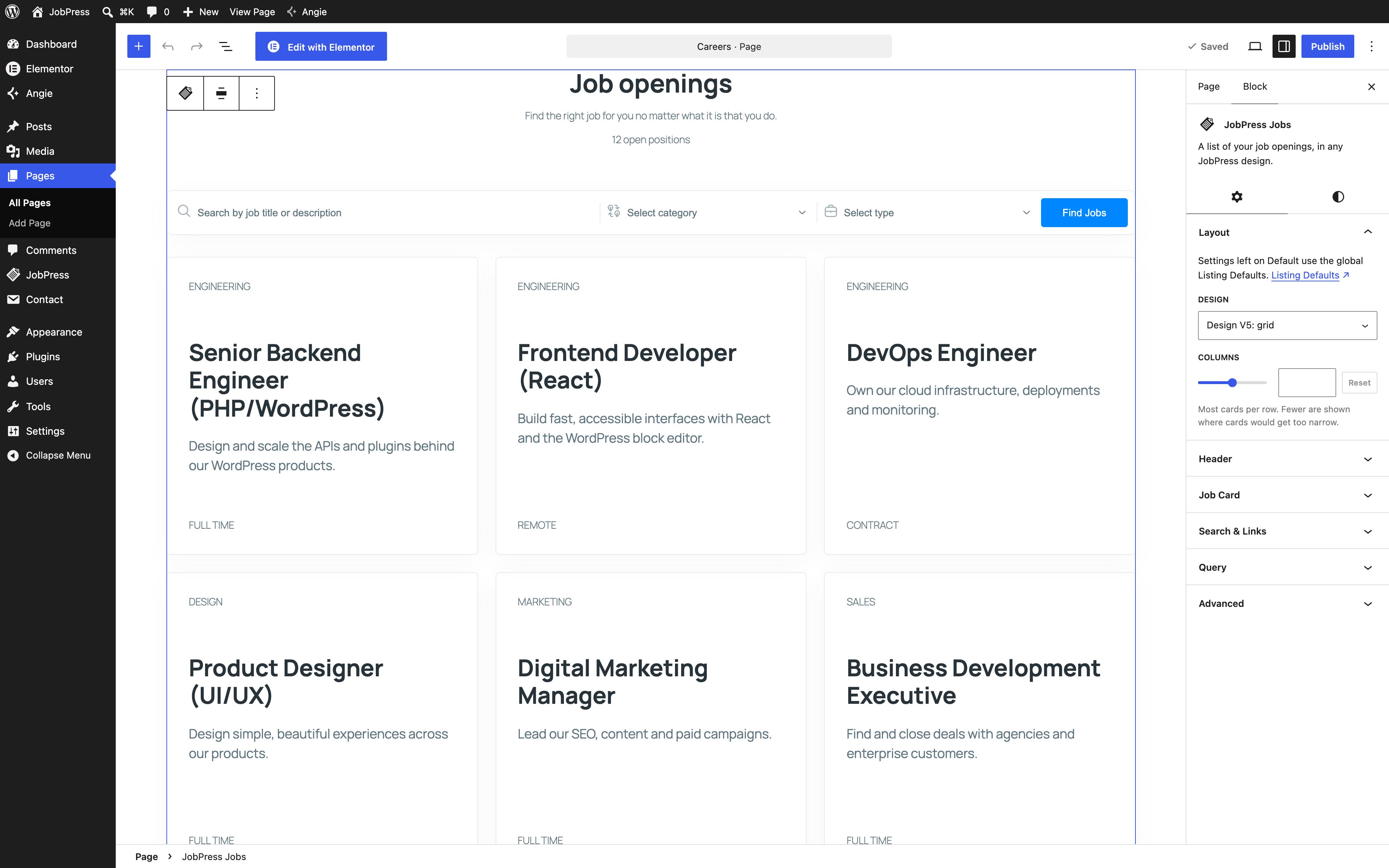
Adding the block
In the block editor, click +, search for jobs, and pick JobPress Jobs. The block shows your listing straight away, in your global design. With no published jobs yet, it shows “No jobs yet. Your published jobs will be listed here.” and an Add job link.
Settings
Select the block and open the Settings tab (gear icon) in the sidebar. Anything left on Default follows the global Listing Defaults, and the option shows which value that is, such as Default (Show). The Listing Defaults link opens those settings.
- Layout - Design and, for Design V5, Columns (the most cards per row).
- Header - show or hide the Title, Subtitle, and Open positions count, and override the Title text and Subtitle text.
- Job Card - show or hide the Category, Job type, Location, Experience, Vacancies, and Deadline, and set the Button text. Only the details the chosen design displays are listed.
- Search & Links - a Search bar that opens the Jobs Page results, and a “View all jobs” link with its Link text.
- Query - which jobs to list: Number of jobs, Categories, Job types, Only these jobs, Leave out these jobs, Order by (Date, Title, Menu order, Random), and Order (Descending, Ascending).
Styles
The Styles tab (half-circle icon) styles this block only:
- Listing colors - Brand, Hover, Headings, Secondary text, Content text, and Borders. Unset colors use Settings → Appearance.
- Job cards - Space between cards (px), Padding (px), and Border radius (px).
- Card colors - Card background, Button text, Button background, Button text on hover, and Button background on hover.
The usual block options apply too: wide and full width in the toolbar, and margin, padding, and background in the sidebar.
Converting from a shortcode
Already using [jobpress]? Select the Shortcode block and choose
Transform to → JobPress Jobs, or paste a [jobpress] shortcode into an
empty paragraph. Its attributes become block settings. The block transforms back
to a shortcode the same way, keeping everything except the Styles tab options.
Older WordPress
On WordPress versions before 6.3 the block isn’t available - use the shortcode, which shows the same listing.