Categories
Create, nest, and edit WooCommerce product categories from the frontend dashboard.
Categories are the shelves of your store. Products → Categories manages them without wp-admin.
The categories list
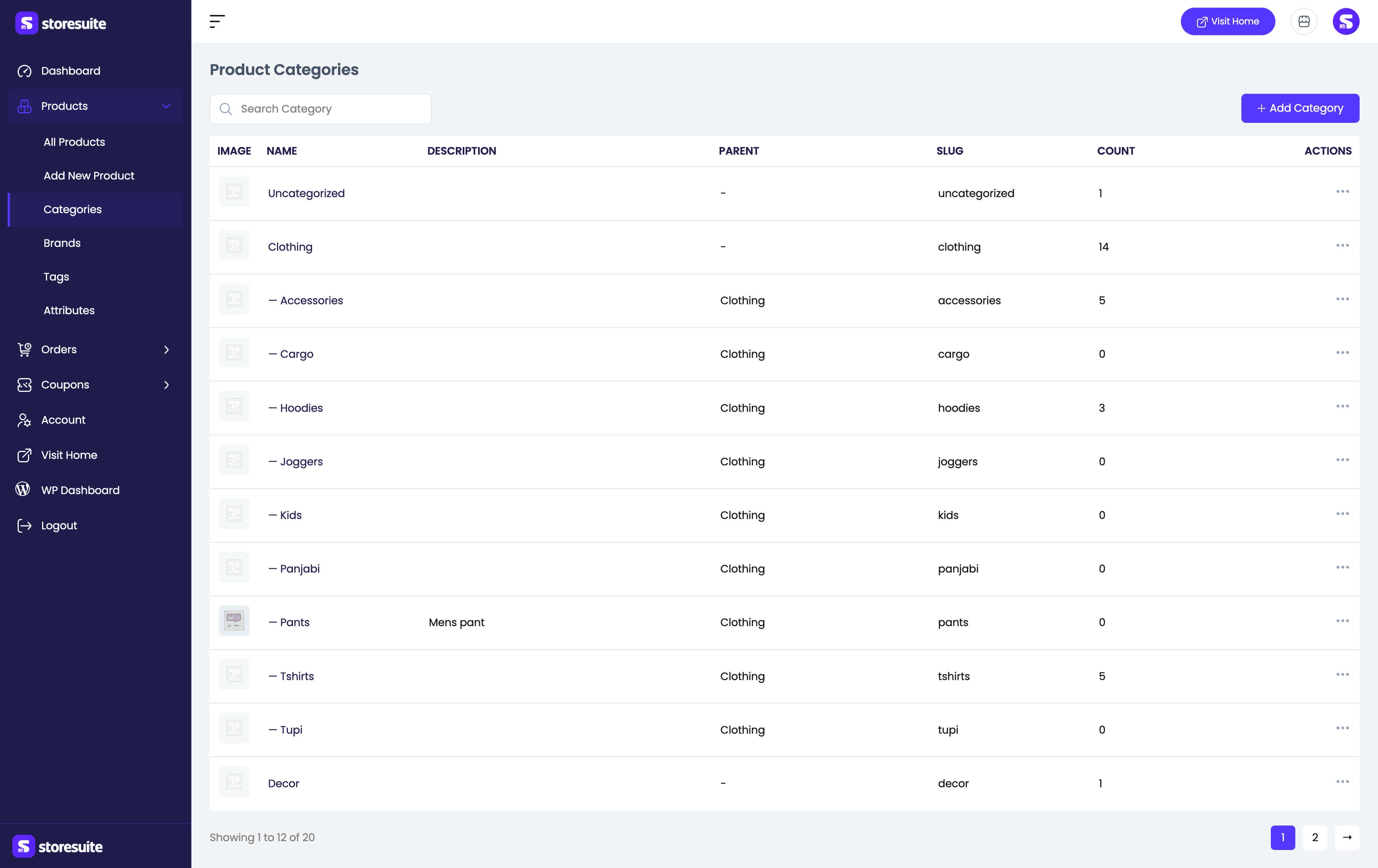
| Column | What it tells you |
|---|---|
| Image | The category thumbnail, if set |
| Name | The category name - children are indented under their parent |
| Description | The optional description |
| Parent | The parent category, or – for top level |
| Slug | The URL-friendly name |
| Count | How many products are in the category |
Search Category finds one by name, and the list is paginated (see Settings → Pagination). Row actions offer View (the live category page), Edit, Quick edit, and Delete. Bulk selection with Bulk actions → Delete removes several at once.
Deleting a category never deletes its products - they just lose that label.
Adding and editing a category
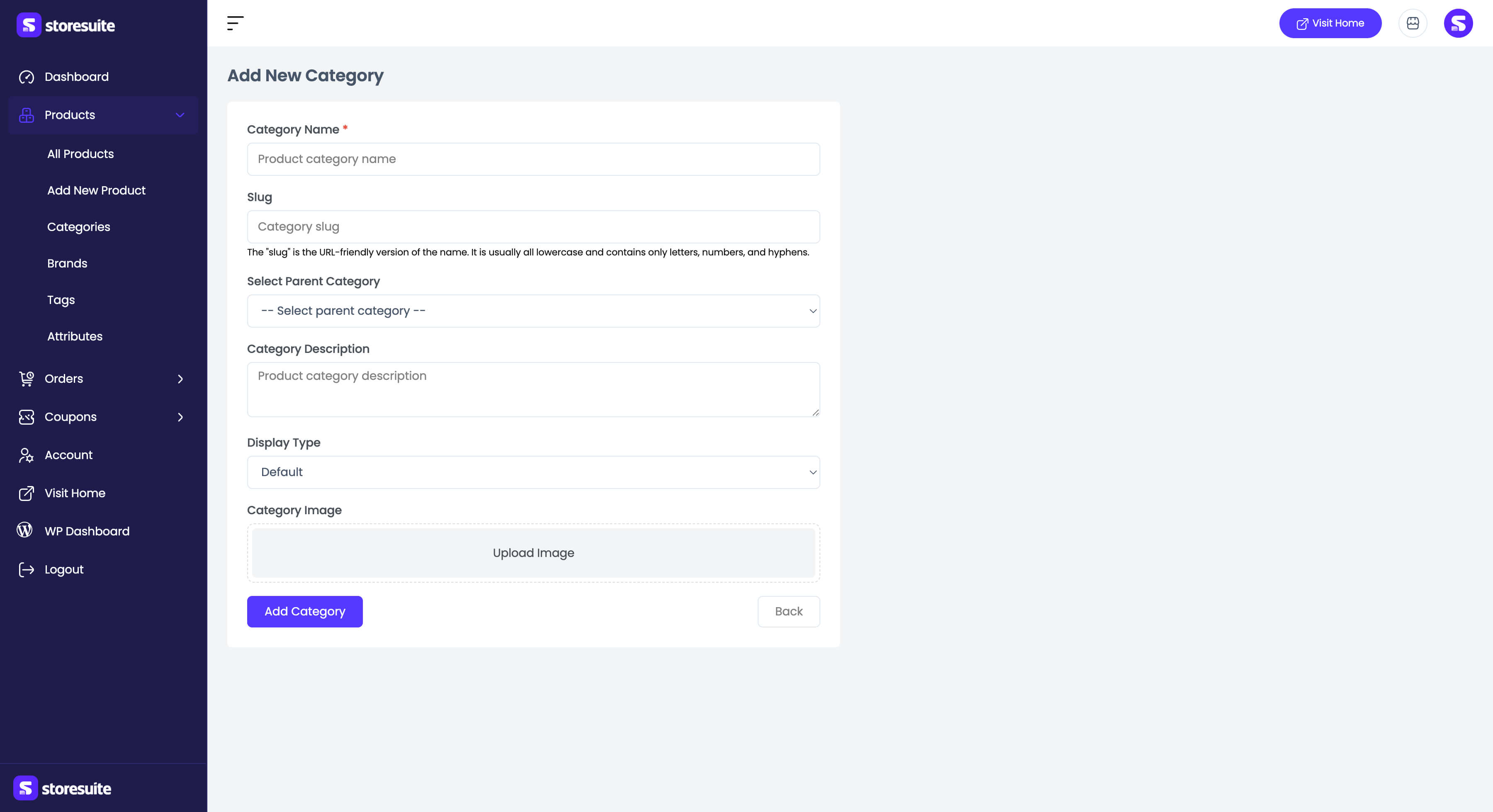
Only the name is required:
- Category Name (required)
- Slug - leave blank to generate it from the name
- Select Parent Category - leave empty for a top-level category
- Category Description
- Display Type - Default, Products, Subcategories, or Both
- Category Image
Add Category saves it; Back returns without saving. Editing opens the same form pre-filled. Quick edit handles the common fields - name, slug, parent, and description - inline in the list.