Brands
Organize products by maker with WooCommerce product brands, logos included.
Brands answer “who makes this?” - a separate axis from categories (“what is it?”). Manage them under Products → Brands.
The brands list
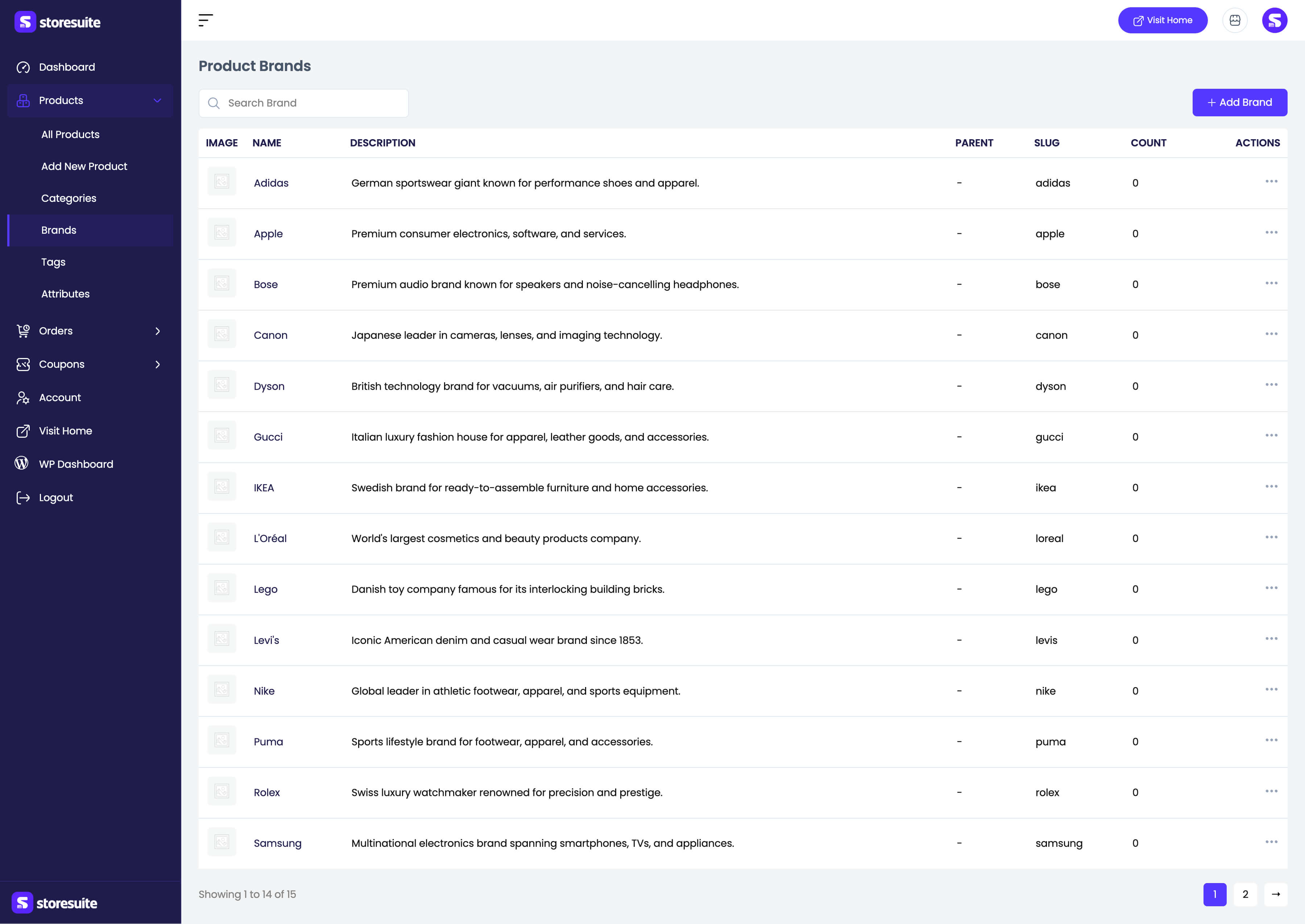
| Column | What it tells you |
|---|---|
| Image | The brand logo, if uploaded |
| Name | The brand name |
| Description | The optional description |
| Parent | The parent brand for sub-brands, or – |
| Slug | The URL-friendly name |
| Count | How many products carry the brand |
Search Brand jumps to a brand by name. Row actions offer View, Edit, Quick edit, and Delete; bulk selection can delete several at once.
Adding and editing a brand
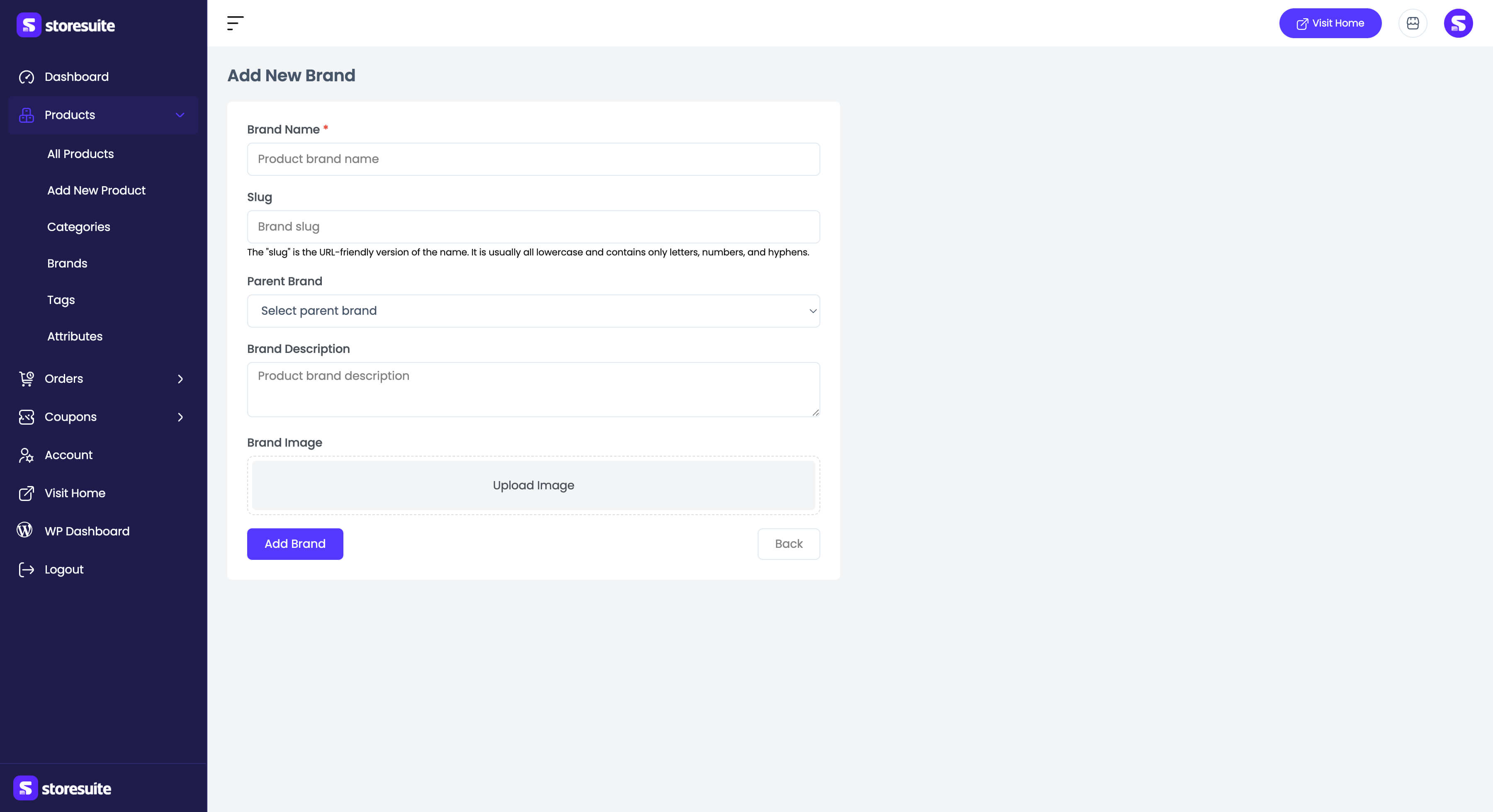
- Brand Name (required)
- Slug - generated from the name when left blank
- Parent Brand - for nesting sub-brands under a parent company
- Brand Description
- Brand Image - the logo
Once a brand exists, assign it from the Brand dropdown in a product’s General Information panel, and use Filter by brand on the products list to see everything from one maker at a time.