Attributes
Create global product attributes and their terms - the building blocks of variable products and layered nav.
Global attributes (Color, Size, Material…) are what variable products vary by, and what layered-nav filters use on the storefront. Manage them under Products → Attributes.
The attributes list
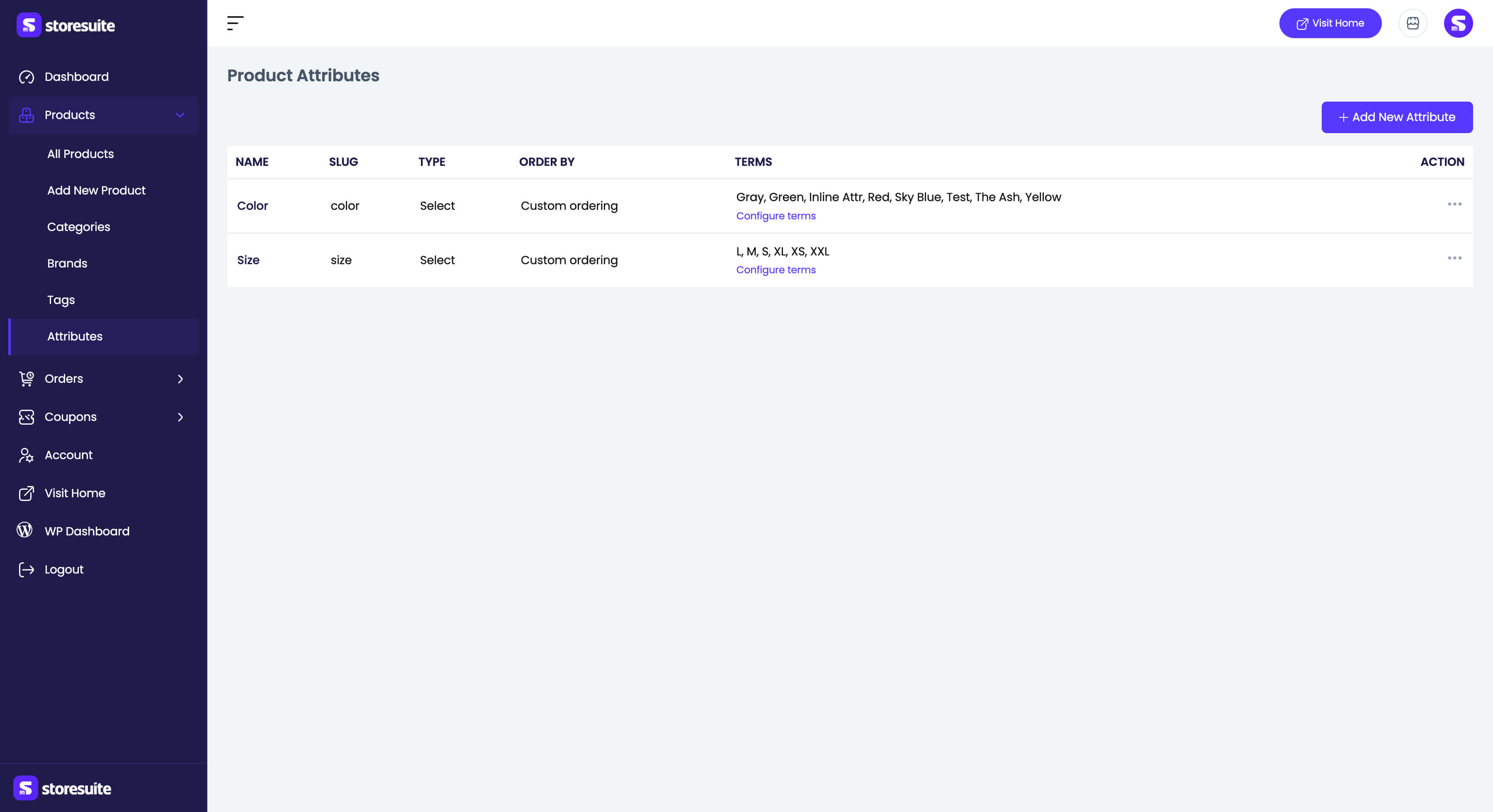
| Column | What it tells you |
|---|---|
| Name | The attribute name |
| Slug | The attribute taxonomy slug |
| Type | How values are chosen (e.g. Select) |
| Order by | Default term sort order |
| Terms | The attribute’s terms, with a Configure terms link |
Row actions offer Configure terms, Edit, Quick edit, and Delete.
Adding an attribute
- Name (required)
- Slug - the unique taxonomy name; generated from the name when left blank
- Enable archives? - gives the attribute product archives and makes it available to layered-nav filters
- Default sort order - Custom ordering, Name, Name (numeric), or Term ID
Attribute terms
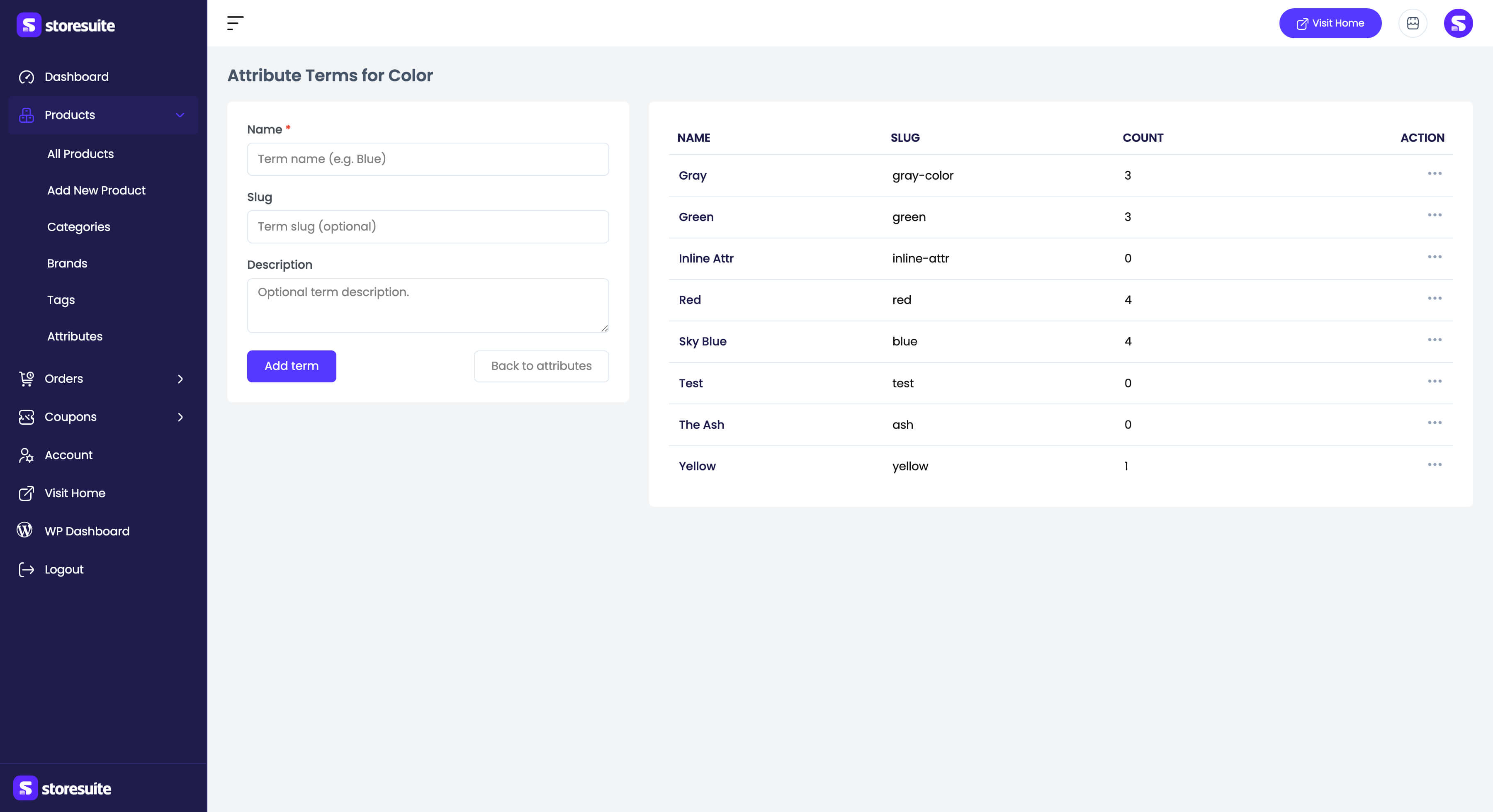
Configure terms opens the term manager for that attribute. Each term has a Name, Slug, and Description, and the list shows the product Count per term. Add, edit, quick edit, and delete terms right there, then head back to the attribute list.
With terms in place, open any product, switch its type to Variable, add the attribute, mark it used for variations, and use Generate variations - see Products.